I was in a position where I had to do some work with a spotty connection and I was wondering if this is something I can configure to better leverage the locally installed haddocks.
Right now I have a cabal.project containing haddock-html-location: http://hackage.haskell.org/packages/archive/$pkg/latest/doc/html
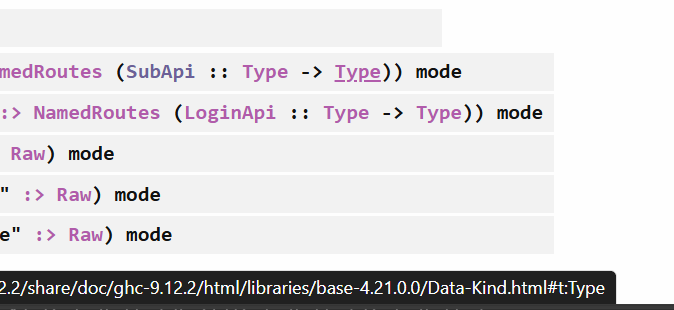
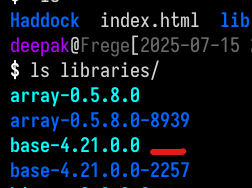
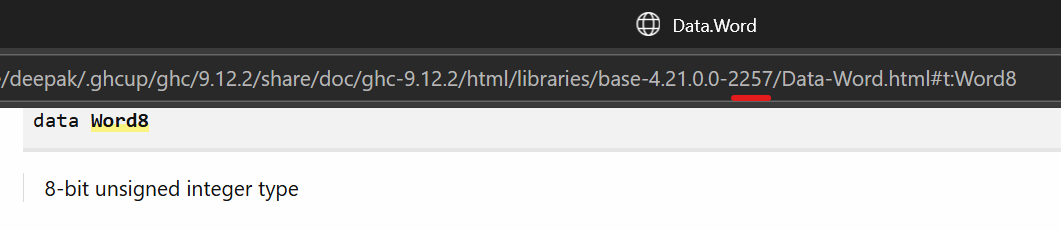
I was hoping to have this instead link to the html files located in my ghcup installation ...\Debian\home\deepak\.ghcup\ghc\9.12.2\share\doc\ghc-9.12.2\html\libraries using something like -- haddock-html-location: /Debian/home/deepak/.ghcup/ghc/9.12.2/share/doc/ghc-9.12.2/html/libraries/$pkgid but the problem is the local files have an abi tag appended to each package (base-4.21.0.0-2257 instead of base-4.21.0.0)
Is there a built-in option I’m missing that would make this work? The $abiTag from 6. Setup.hs Commands — Cabal 3.16.0.0 User's Guide is specific to the compiler, and I wasn’t able to track down anything more granular than $pkgid
Thanks, although I think this is solving a slightly different problem.
For a little more detail I do have the index.html file in my local install, and I’m able to chase the links in parallel like jackdk mentioned. For a bit more detail see the following screenshots:
I was able to create the symlinks with a quick bash loop for x in $(ls -d */); do ln -s ${x} ${x%-*}; done to remove the tag part, but it’s a little brittle and if I understand the linked script it would also set up a duplicate index that would have to be updated.
I suppose I could put together a fully scripted solution, but I was hoping for something that would let me quickly toggle a configuration setting and not worry about creating additional assets.
Not exactly what you asked for, but one thing you might consider is using cabal-hoogle to run a hoogle server locally, which will have all your docs linked appropriately with all of your dependencies.